Gouache Brush Procreate: Mastering Digital Paint
Digital art often struggles to replicate the tactile satisfaction of traditional media. The screen can feel too smooth, the colors too perfect, and the process too sterile. This is where a high-quality Gouache Brush Procreate set changes the game. Gouache, historically known for its matte finish and opaque coverage, offers a unique balance between watercolor fluidity and acrylic solidity. When translated into a digital environment, it allows artists to build layers with confidence, knowing that lighter tones can sit comfortably atop darker ones without muddying the image. For creators seeking a grounded, professional aesthetic, these brushes provide the necessary texture and behavior to bridge the gap between physical studio work and digital efficiency.
The Anatomy of a Professional Gouache Set
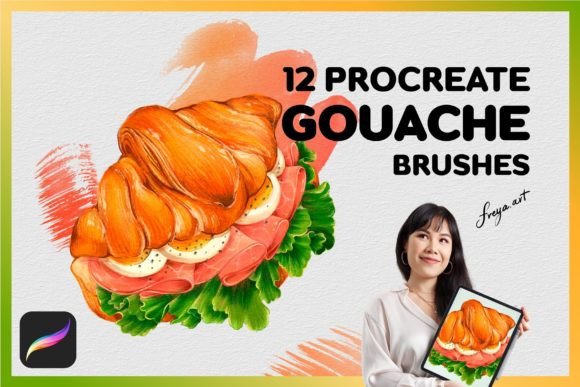
Understanding the tools in your kit is the first step toward mastering them. A comprehensive collection like the Set of 12 Procreate Gouache Brushes is not just about having more options; it is about having the right tool for every stage of the creative workflow. Each brush type serves a distinct purpose, mimicking the specific handling characteristics of real bristles on paper.
- 4 Thin Gouache Brushes: These are your precision instruments. Ideal for fine details, linework, and intricate textures, they respond sharply to pressure, allowing you to transition from a hairline sketch to a bold stroke seamlessly.
- 2 Thick Gouache Brushes: Designed for broad coverage and blocking in large areas of color. They capture the heavy body of traditional gouache, creating rich, solid planes of color that anchor your composition.
- 2 Tip Gouache Brushes: Perfect for calligraphy-style strokes or expressive, variable-width lines. These brushes excel when you need dynamic movement in your lettering or organic shapes.
- 1 Gouache Blender Brush: Essential for softening edges and mixing colors directly on the canvas. It eliminates harsh pixelation, giving your digital painting a hand-blended, organic look.
- 3 Gouache Stamp Brushes: Useful for adding repetitive textures, foliage, or pattern elements quickly without losing the hand-painted feel.
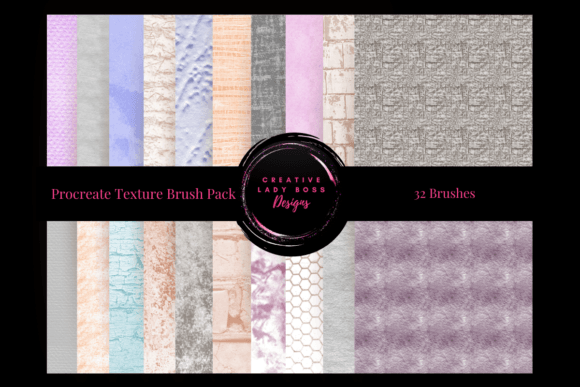
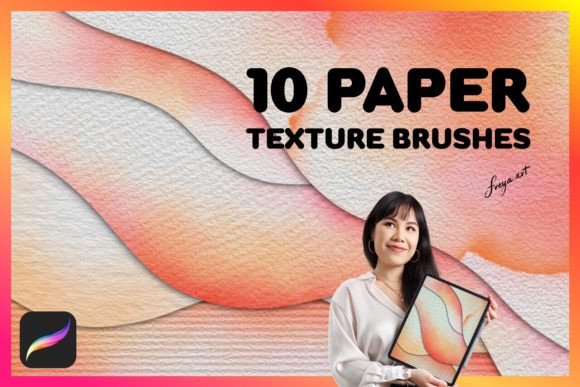
- Bonus Paper Texture: The foundation of any realistic painting. This texture layer ensures that your digital strokes interact with a surface that feels tangible, breaking up the uniformity of the screen.
Why Pressure Sensitivity Matters
The magic of these brushes lies in their interaction with the Apple Pencil. Unlike standard drawing tools that might produce a uniform line regardless of input, these Gouache Brush Procreate assets are engineered to rely heavily on pressure sensitivity. When you press lightly, the brush deposits a translucent wash, mimicking a dry brush technique. As you increase the pressure, the opacity increases, laying down thick, opaque pigment.
This dynamic range is crucial for maintaining artistic intent. It allows designers and illustrators to convey emotion through line weight and color density. For example, a marketer creating social media graphics can use light pressure for subtle highlights and heavy pressure for bold, attention-grabbing headlines. An educator illustrating a textbook diagram can switch between thin outlines for clarity and thick fills for emphasis, all within the same continuous motion. Remember, these brushes are optimized specifically for the Procreate app on iPad. They will not function in Adobe Photoshop or other desktop software, as the engine driving their pressure curves and wetness simulation is native to the Procreate environment.
Creative Applications Across Industries
The versatility of gouache makes it suitable for a wide array of professional contexts. Its matte finish and clean edges make it particularly effective for commercial illustration, editorial design, and concept art.
Editorial and Book Illustration
Authors and publishers often seek artwork that feels warm and inviting. The opaque nature of gouache prevents underlying text or images from bleeding through, making it ideal for book covers and chapter illustrations. By utilizing the Thick Gouache Brushes, an illustrator can create flat, graphic backgrounds that pop, while the Thin Brushes add character details that draw the reader in. The included paper texture adds a nostalgic quality that resonates well with adult fiction and children's book audiences alike.
Brand Identity and Marketing
Small business owners and marketers can leverage these brushes to create unique brand assets. In a sea of vector-perfect logos, a hand-painted logo created with Gouache Brush Procreate stands out as authentic and human. Use the Stamp Brushes to create custom patterns for packaging or website backgrounds. The ability to blend colors smoothly with the Gouache Blender Brush allows for sophisticated gradients that still retain a textured, artisanal feel, perfect for lifestyle brands, coffee shops, or boutique clothing lines.
Concept Art and Storyboarding
Freelancers working in animation or film can use this set for rapid ideation. The speed of digital gouache allows for quick blocking of scenes without getting bogged down in photorealism. The Tip Brushes are excellent for sketching dynamic poses, while the Blender helps establish atmospheric lighting. Because the download is instant upon purchase, you can integrate these tools into your workflow immediately, saving valuable time during tight production schedules.
Workflow Tips for Consistent Results
To get the most out of your Gouache Brush Procreate set, organization and technique are key. Here are practical recommendations to ensure your results remain clear and professional.
- Layer Management: Start with the bonus paper texture on the bottom layer. Create separate layers for your background blocks, mid-tones, and details. This non-destructive workflow allows you to adjust specific elements without ruining the entire piece.
- Color Strategy: Gouache is opaque, but digital gouache behaves best when you plan your values. Use the Thick Brushes to establish your darkest shadows and lightest highlights early on. Avoid over-blending; sometimes leaving visible brushstrokes adds energy and life to the piece.
- Pressure Control Practice: Spend time calibrating your touch. Practice drawing circles and lines, varying the pressure to see how the opacity shifts. This muscle memory is essential for achieving consistent line weights in your final artwork.
- Texture Integration: Don't rely solely on the brush settings. Adjust the flow and opacity sliders in Procreate to mimic different paint consistencies. Sometimes lowering the flow creates a drier, scratchier effect, perfect for aged paper looks or rough terrain.
Getting Started Immediately
One of the greatest advantages of digital tools is accessibility. Once you complete your purchase, you gain immediate access to the Set of 12 Procreate Gouache Brushes. There is no waiting for shipping or installation delays. You can import the files directly into your iPad and begin experimenting within minutes. Whether you are a seasoned professional looking to expand your toolkit or a hobbyist eager to explore new styles, this set provides a robust foundation for your digital painting journey.
The goal is not just to own the brushes, but to understand how they can elevate your specific creative goals. From creating engaging blog headers to designing full-scale marketing campaigns, the Gouache Brush Procreate offers a blend of tradition and technology that empowers you to create work that is both visually striking and emotionally resonant. Embrace the texture, master the pressure, and let your creativity flow with the confidence that comes from using professional-grade tools.