Skin Tones Procreate Color Palette: A Guide for Digital Artists
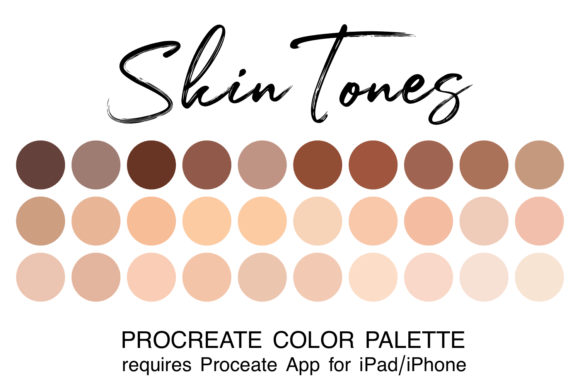
Creating artwork in Procreate is easier and more fun when you have a coordinated or themed color palette at your fingertips. One of the most common hurdles artists face, especially those focusing on character design or portraiture, is the time spent mixing colors to achieve realistic skin tones. This process can interrupt the creative flow, turning a moment of inspiration into a technical struggle. The Skin Tones Procreate Color Palette addresses this specific pain point by offering a curated collection designed to streamline your workflow.
When you utilize a specialized resource like the Skin Tones Procreate Color Palette, you shift your focus from the mechanics of color theory back to the art creation process itself. Instead of endlessly tweaking sliders to find the perfect shade of olive or peach, you can select a pre-mixed hue and immediately begin sketching or painting. This efficiency allows creators to maintain their momentum, ensuring that the energy spent on digital illustration goes toward expression rather than troubleshooting.
The Value of Curated Assets in Digital Art
Digital art tools are powerful, but they require organization to be truly effective. Adding curated palettes to your Procreate assets is one of the smartest investments an artist can make for their productivity. A generic default palette often lacks the nuance required for diverse representation in modern art. In contrast, a dedicated set provides a spectrum of shades that reflect the complexity of human skin across different ethnicities and lighting conditions.
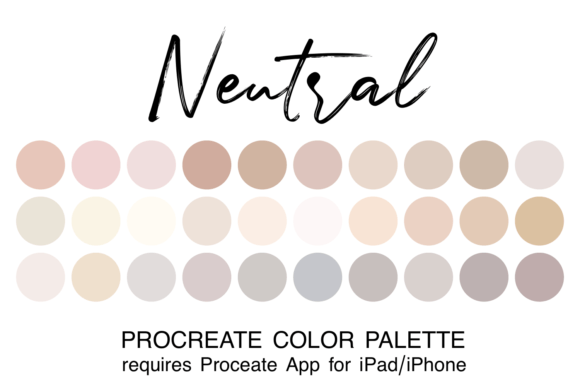
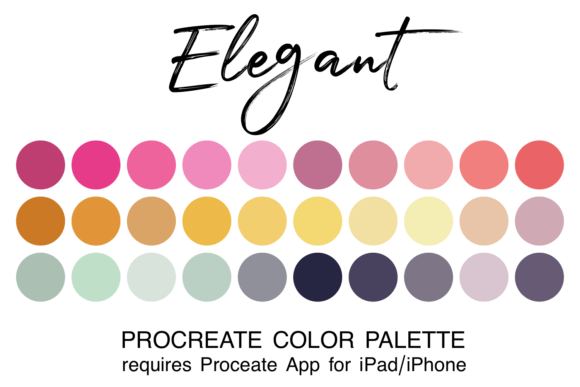
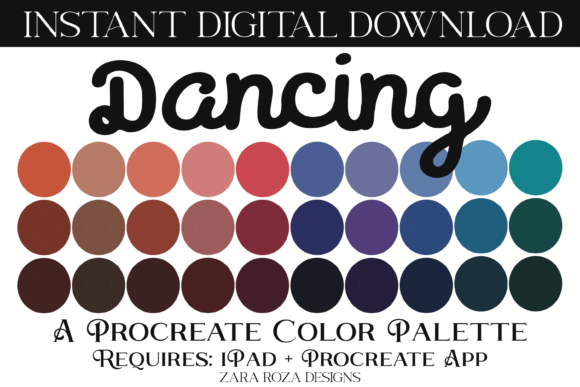
The Skin Tones Procreate Color Palette is not just a list of colors; it is a toolkit for inclusivity and realism. By having 30 distinct colors in one file, artists can ensure that their characters look authentic and varied without needing to manually mix every single variation. This is particularly valuable for professionals who need to deliver consistent results under tight deadlines, as well as hobbyists who want to improve the quality of their work without spending hours studying color theory.
Understanding the File Format and Compatibility
To use these resources effectively, it is essential to understand the technical requirements. You will receive 30 colors in one file of the ".swatch" type specifically for use in the Procreate app. This format is native to the application, meaning it integrates seamlessly with the software's interface without requiring complex conversions or third-party plugins.
NOTE for beginners: You must have the Procreate app installed on your iPad or iPhone to use this color swatch file. While Procreate is a robust tool, it is exclusive to the Apple ecosystem. If you are using an Android tablet or a desktop computer, this specific file type will not function as intended. Ensuring you have the correct hardware and software setup is the first step toward unlocking the benefits of this palette.
Step-by-Step Installation Guide
Many users hesitate to download new assets because they fear the installation process might be complicated. However, integrating the Skin Tones Procreate Color Palette is a quick and straightforward procedure. Following these steps will get you up and running in minutes:
- Download the File: First, download the zipped file containing the palette directly to your device. Ensure it is saved in your iPad's "Downloads" folder within the Files app.
- Unzip the Archive: Open the Files app and locate the downloaded zip file. Tap on it to unzip the contents. You should now see the actual .swatch file ready for import.
- Import to Procreate: Click directly on the swatch filename. iOS is designed to recognize this file type and will automatically prompt you to open it with Procreate. Confirm the action, and the palette will instantly be added to your library.
- Locate Your Palette: When you next open Procreate, tap the colored dot in the top right corner of your screen (the color picker). Navigate to the "My Colors" tab or the list of palettes. You will find your newly imported Skin Tones Procreate Color Palette listed there, ready for use.
Once installed, you also have the option to set this collection as your default palette. This ensures that every time you start a new project, your preferred skin tones are immediately accessible, further reducing friction in your creative process.
Real-World Applications and Scenarios
The utility of the Skin Tones Procreate Color Palette extends across various artistic disciplines. For character designers working on video games or animation, having a reliable range of skin tones is crucial for creating diverse casts. Instead of guessing which hex codes match a specific ethnicity, artists can rely on the tested values within this palette to create believable characters quickly.
Illustrators working on children's books or educational materials also benefit significantly. These projects often require clear, vibrant representations of people from all backgrounds. Using a pre-curated set ensures consistency across multiple pages and illustrations, maintaining a professional standard throughout the publication.
Furthermore, portrait artists who specialize in digital photography retouching or stylized portraits can use these swatches as a reference base. Even if they do not use the exact colors directly, having a spectrum of realistic tones nearby helps in calibrating their own custom mixes. It serves as a visual anchor, reminding the artist of the subtle variations in undertones—such as blue, yellow, red, or green—that give skin its life-like appearance.
Evaluating Suitability for Your Projects
While the Skin Tones Procreate Color Palette offers significant advantages, it is important to manage expectations. No single palette can replace the need for artistic judgment. Lighting, environment, and mood all influence how skin appears in a final piece. A flat color from a swatch may look perfect in isolation but might need adjustment when placed under a warm sunset light or a cool moonlit scene.
Therefore, this palette should be viewed as a strong foundation rather than a rigid rulebook. Its strength lies in providing a starting point that saves time on the initial mixing phase. From there, the artist can adjust opacity, blend modes, and saturation to fit the specific context of their artwork. Beginners, in particular, will find this approach less overwhelming, as it removes the paralysis of choice often associated with a blank canvas.
Maximizing Your Creative Potential
In the fast-paced world of digital content creation, efficiency is key. By incorporating the Skin Tones Procreate Color Palette into your toolkit, you are making a strategic decision to prioritize creativity over technical hurdles. Whether you are a business owner looking to streamline your design team's output, a professional illustrator managing client commissions, or an online enthusiast exploring your passion, having the right colors ready makes a tangible difference.
Remember that the goal of any asset is to serve the artist, not dictate their style. The Skin Tones Procreate Color Palette empowers you to experiment more freely. With 30 carefully selected colors at your disposal, you can spend less time hunting for the right shade and more time telling your story through art. As you become more comfortable with the palette, you may even find yourself expanding upon it, adding your own unique touches while relying on the core structure provided by this curated set.
Ultimately, the journey of digital art is about expression. Tools like this palette exist to remove barriers, allowing your vision to shine through without obstruction. By mastering the simple installation process and understanding how to integrate these swatches into your workflow, you unlock a smoother, more enjoyable experience in Procreate. Embrace the convenience of organized color, and let your artwork speak volumes.